 LINE

MTMonitorCentralized Management Platform
Centralized Management Monitoring Technology Software
MT Monitor
See every site in one place
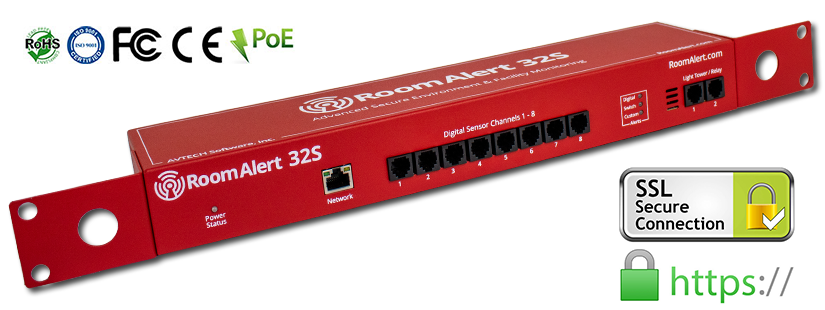
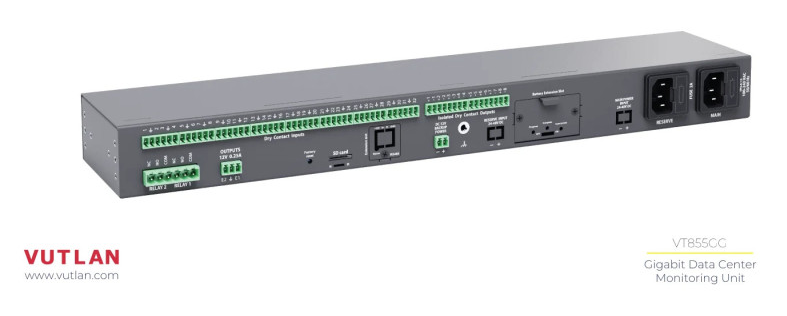
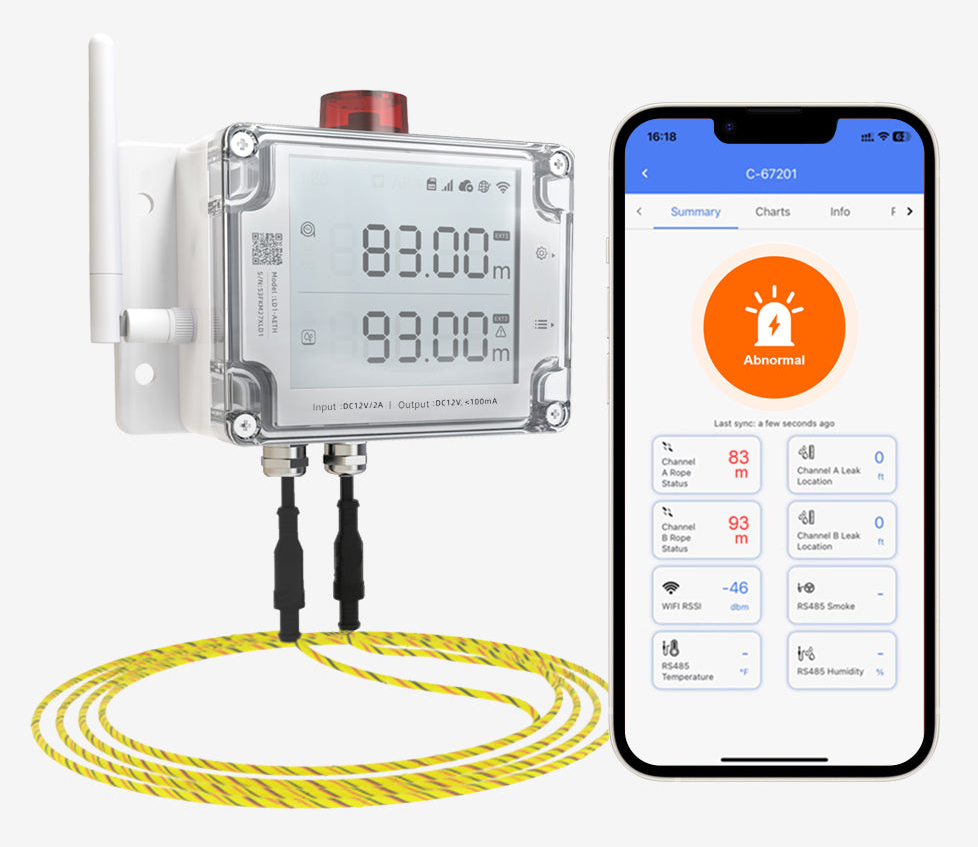
Central management platform for monitoring temperature, humidity and device status via SNMP, installed on your own network and server. Supports Room Alert, VUTLAN and HWg.
Choose brochure language
MT Monitor Full Brochure · 9-page PDF
Key capabilities
01
Real-time SNMP dashboard
Shows device counts, sensors, alerts raised and the latest events, with overview layouts for Room Alert Monitoring and VUTLAN Monitoring System, and supports HWg devices via SNMP
02
Offline map of Thailand
Pins every site on the built-in map with the province name, no internet needed. Pins turn red when an alert occurs.
03
Multiple sensor types
Each smoke/fire, temperature, humidity, power and water-leak sensor has its own value, unit and status
04
Alerts via Email and Telegram
Set recipient lists, resend while still abnormal, edit message templates, with real-time in-app notifications
05
History charts and PDF reports
View history from 1 hour to 1 month, download PDFs, or schedule daily/weekly/monthly reports
06
Event Log and Data Log
Logs every status change and every value read; filter by device and time range; export to CSV
07
User permissions and Audit Log
The Admin account has full access; the Monitor account is view-only. Every change is logged with who and when.
08
Activity Monitor
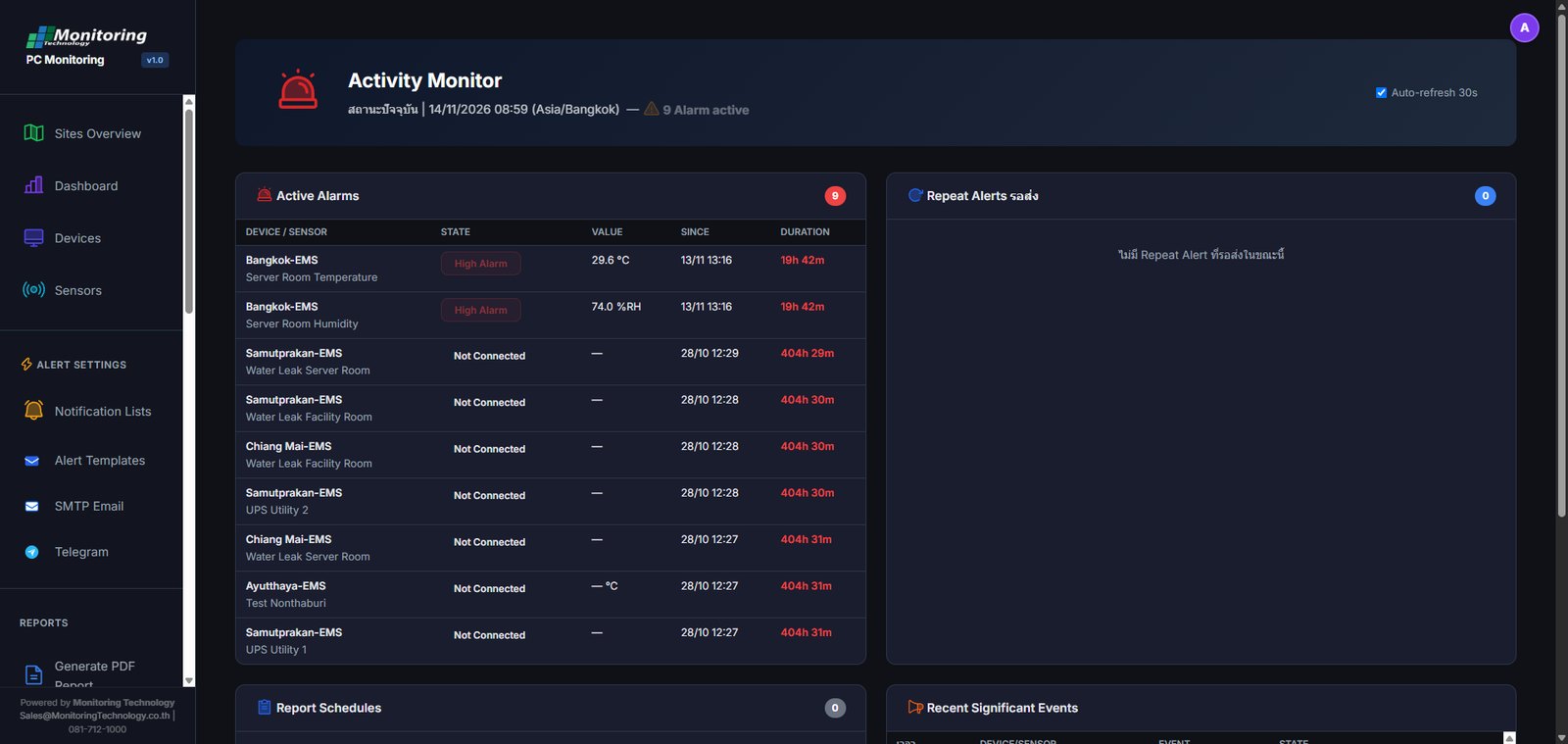
A live status page showing Active Alarms with their start time and duration, the Repeat Alerts queue, Report Schedules and the latest significant events. It refreshes automatically every 30 seconds.
09
Export/Import and Backup Config
Export the Config for Devices, Sensors, Notification Lists and System Settings as a JSON file or a Full Backup (.zip), then Import it back when you move or reinstall the system. Data Log and Event Log can also be exported to CSV.
10
Bulk Operations
Export devices and sensors to CSV, edit or add many at once in Excel or Google Sheets, then Import them back. A Template with examples and a description of every column is included.
11
Database Backup and Restore
Back up the whole SQLite database (.db) as one file and Restore it when you move to a new server or roll back. The current file is backed up automatically before it is overwritten.
12
Offline installation on Windows
Runs as a Windows Service on your organization's server. Installs without internet access, and your data stays on your network.
Use your own brand
Put your company name and logo in the menu bar and reports, choose a light, dark or automatic theme, and select the language your team uses
Screenshot examples
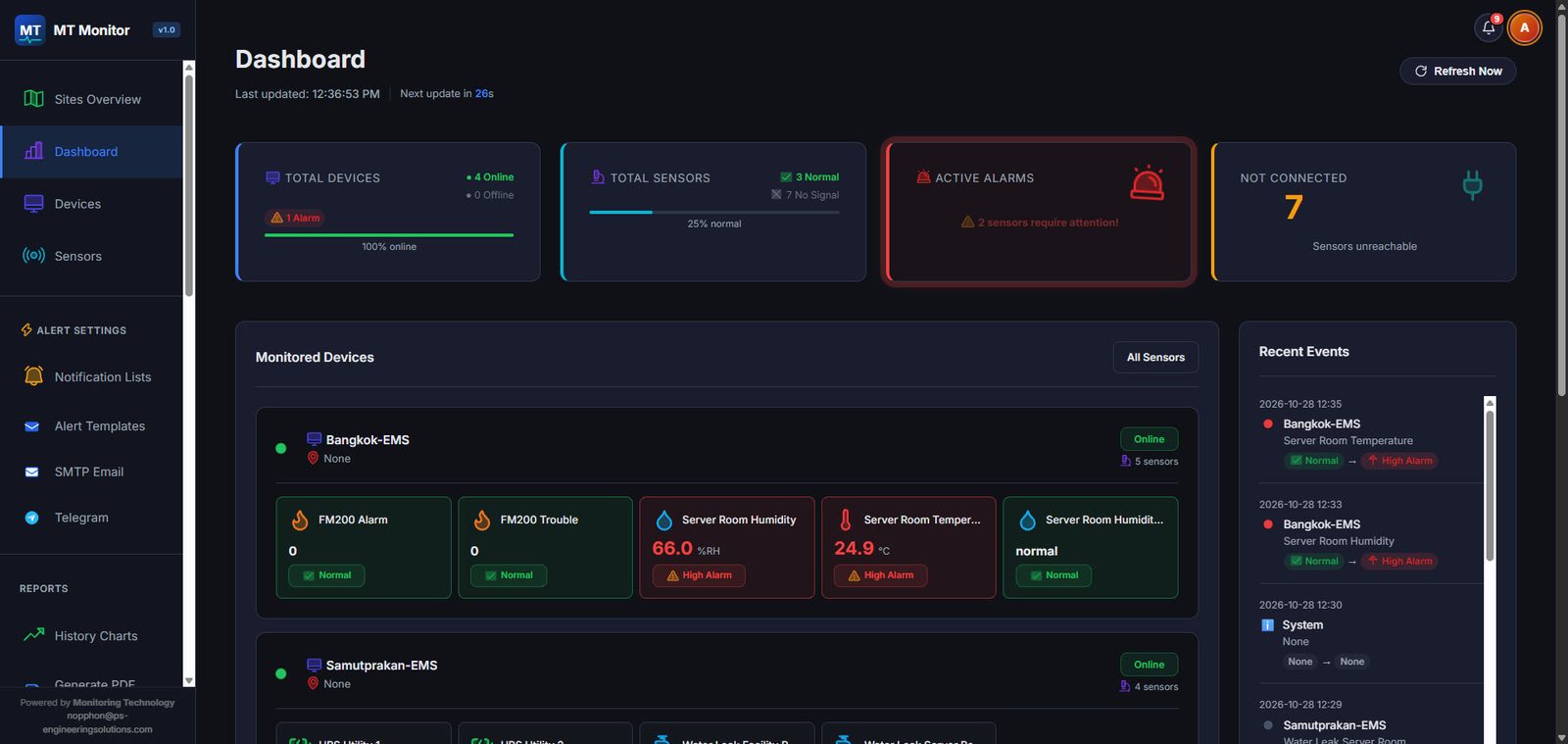
Overview dashboard of all sites
Summary of device counts, sensors, alerts and unreachable sensors on one screen, with a feed of the latest events
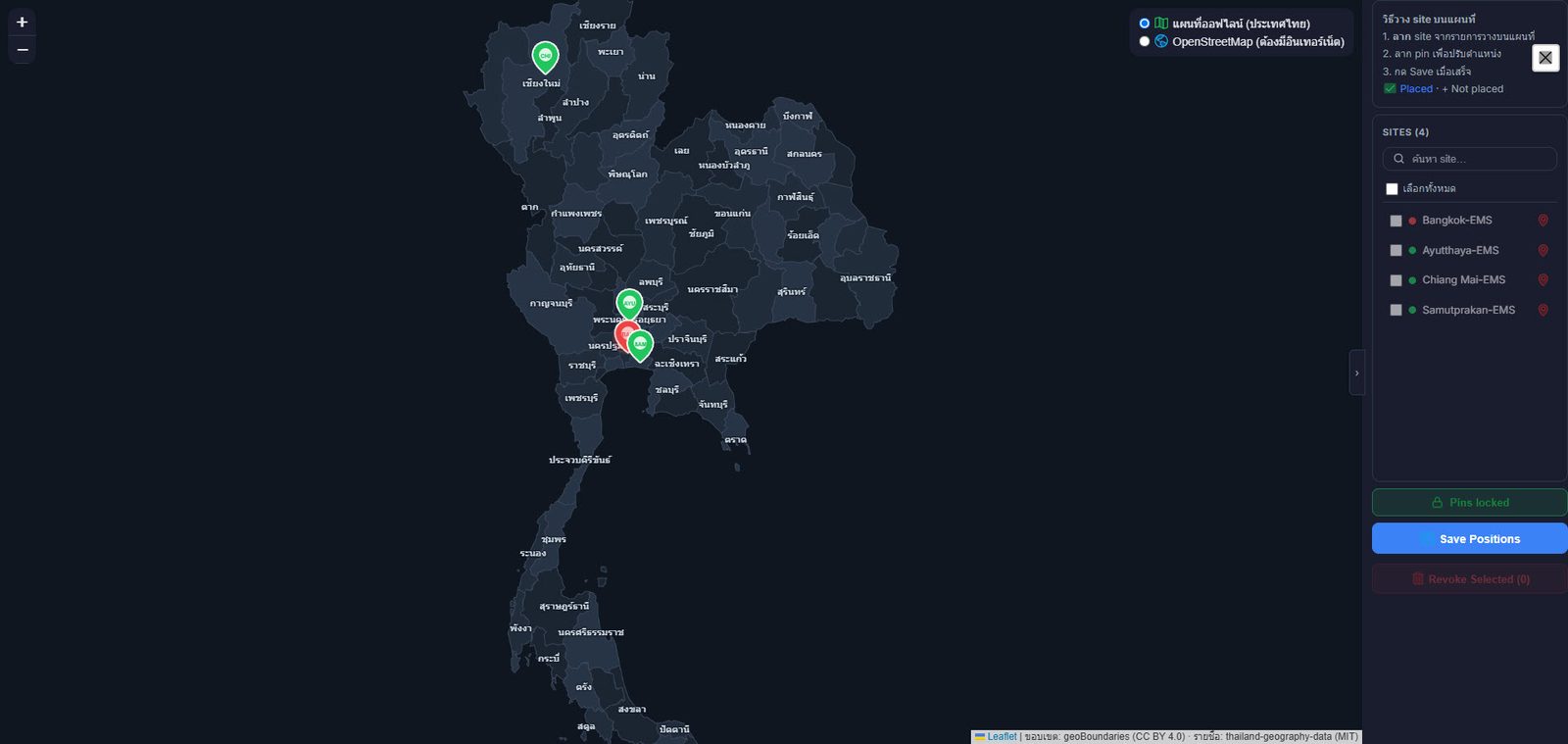
Site map that works offline
Pins turn red when that site has an alert. Drag pins to place and lock them; switches to OpenStreetMap when the server is online.
Activity Monitor
A one-page summary of what is happening right now: Active Alarms (state, value, start time and duration), Repeat Alerts waiting to be sent, Report Schedules and the latest significant events. It refreshes automatically every 30 seconds, so it suits a monitoring screen that stays on.
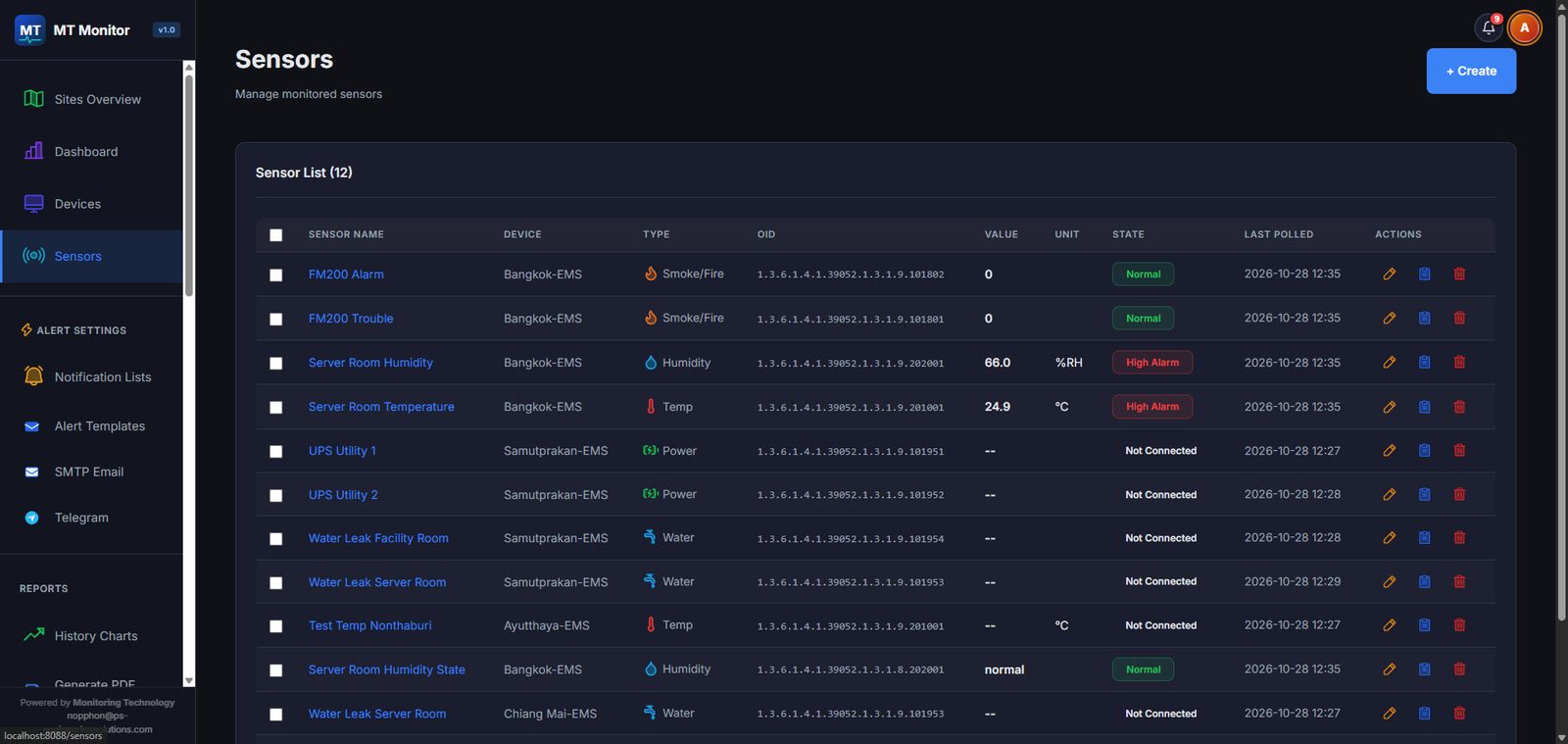
Sensor list
Shows device, type, SNMP OID, value, unit, status and last-read time, with colors for normal / abnormal / disconnected
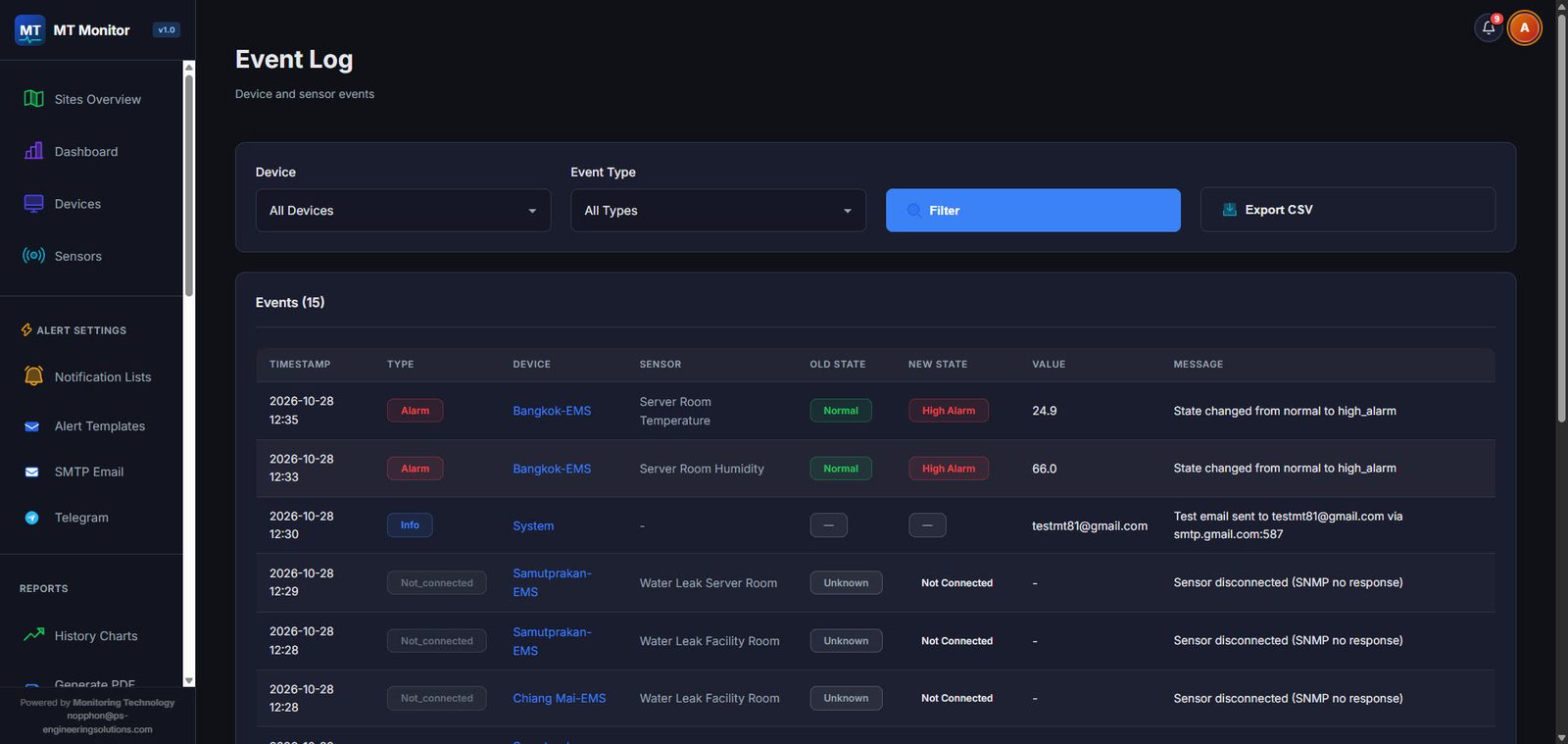
Event Log
Logs status changes, such as normal to high or a sensor going unresponsive; filter by device/type and export to CSV
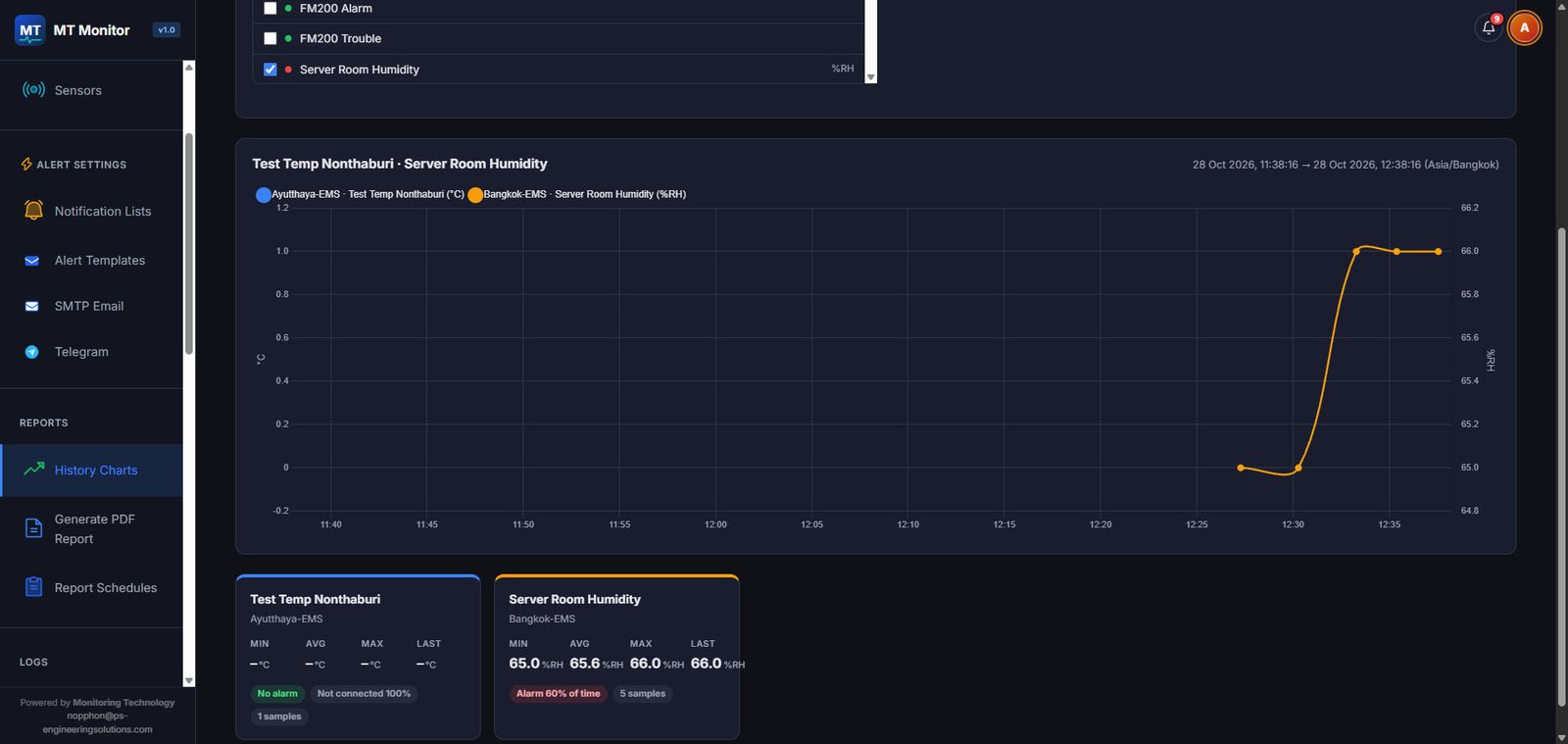
History charts
Choose one or more sensors and a time range, compare them on one chart, with a summary of minimum, average, maximum and the share of time in an abnormal state
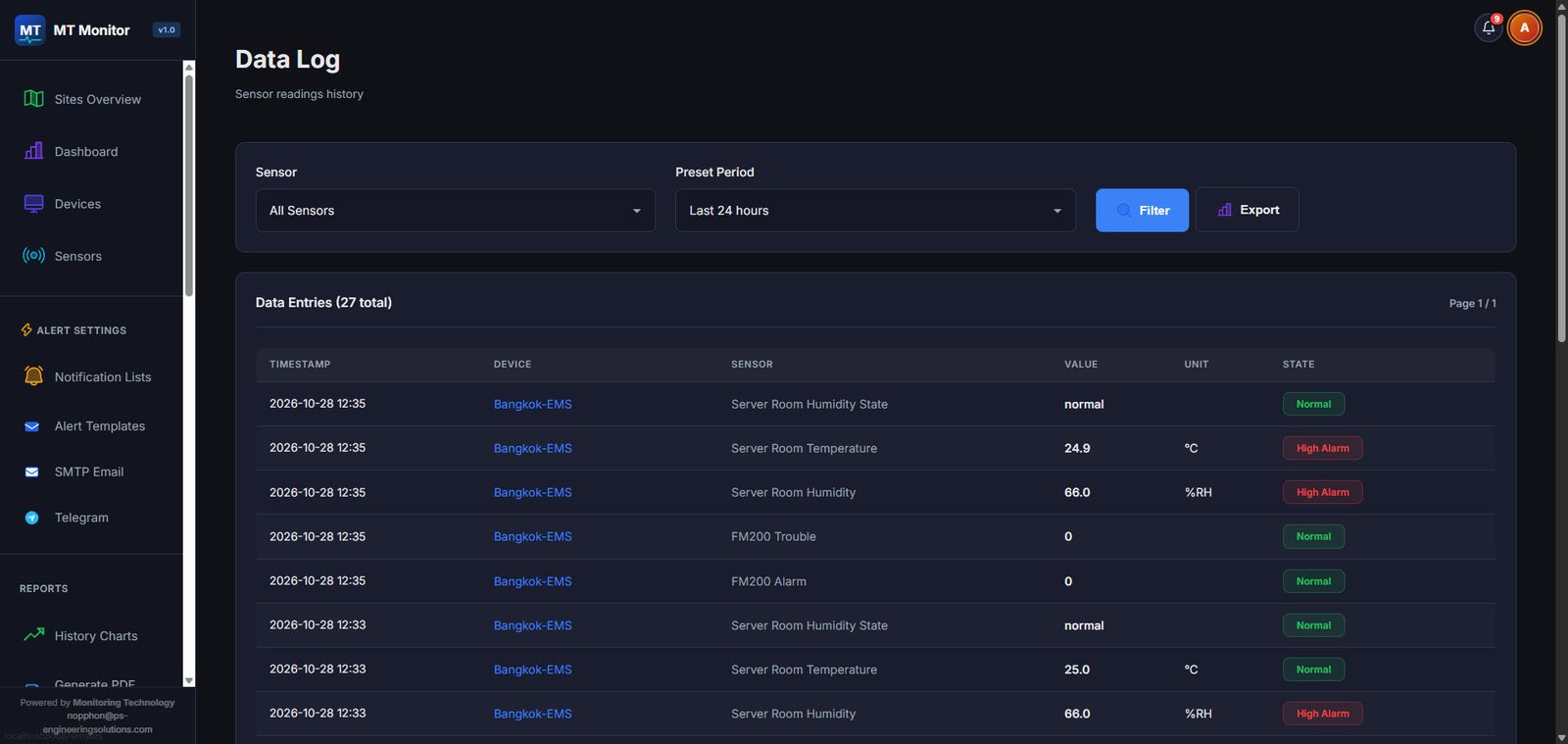
Data Log
Stores every value read with time, value, unit and status. Choose sensors and a time range, then export.
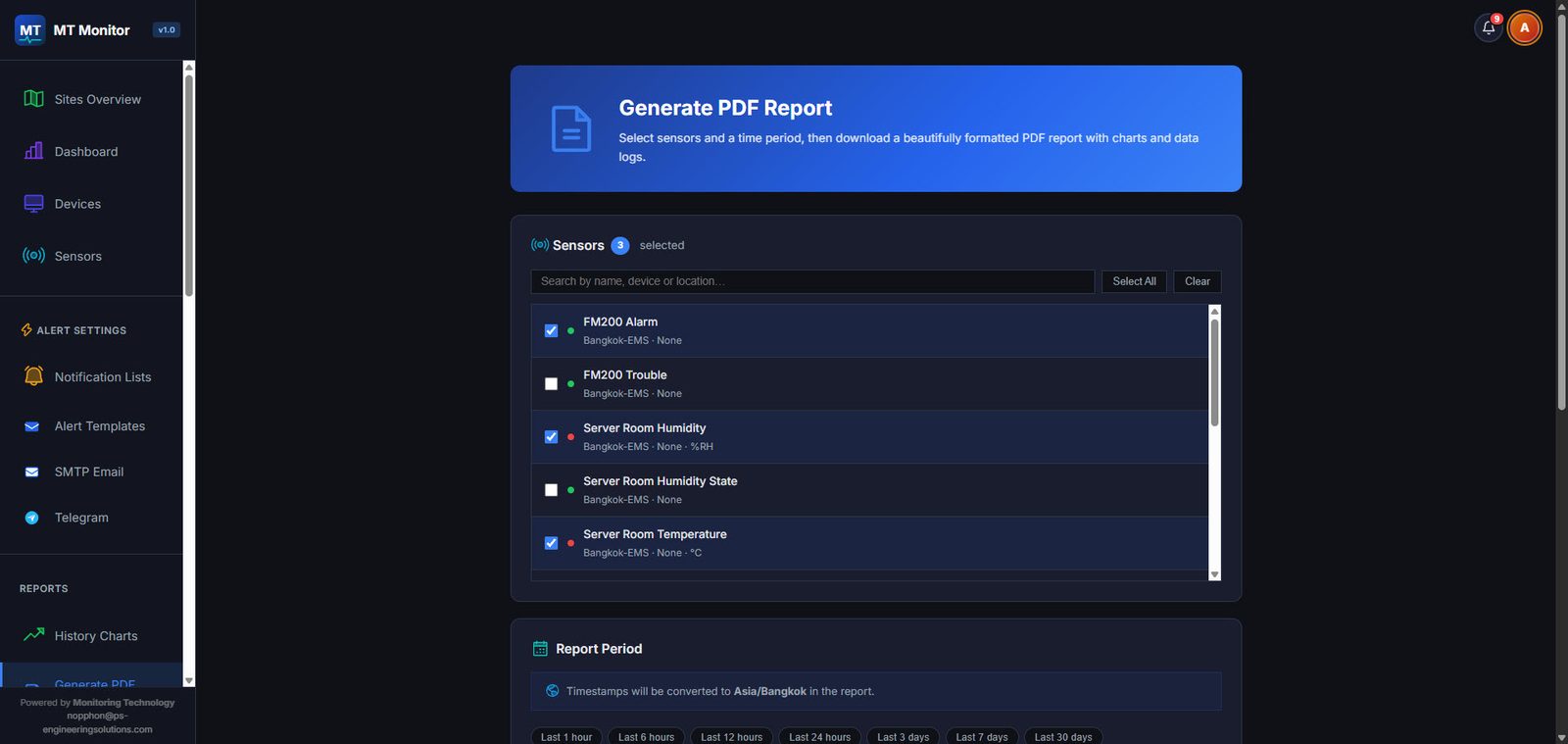
Generate PDF reports
Choose sensors and a time range (from 1 hour to 30 days) and download a PDF report with charts and the Data Log. Add your company name and logo.
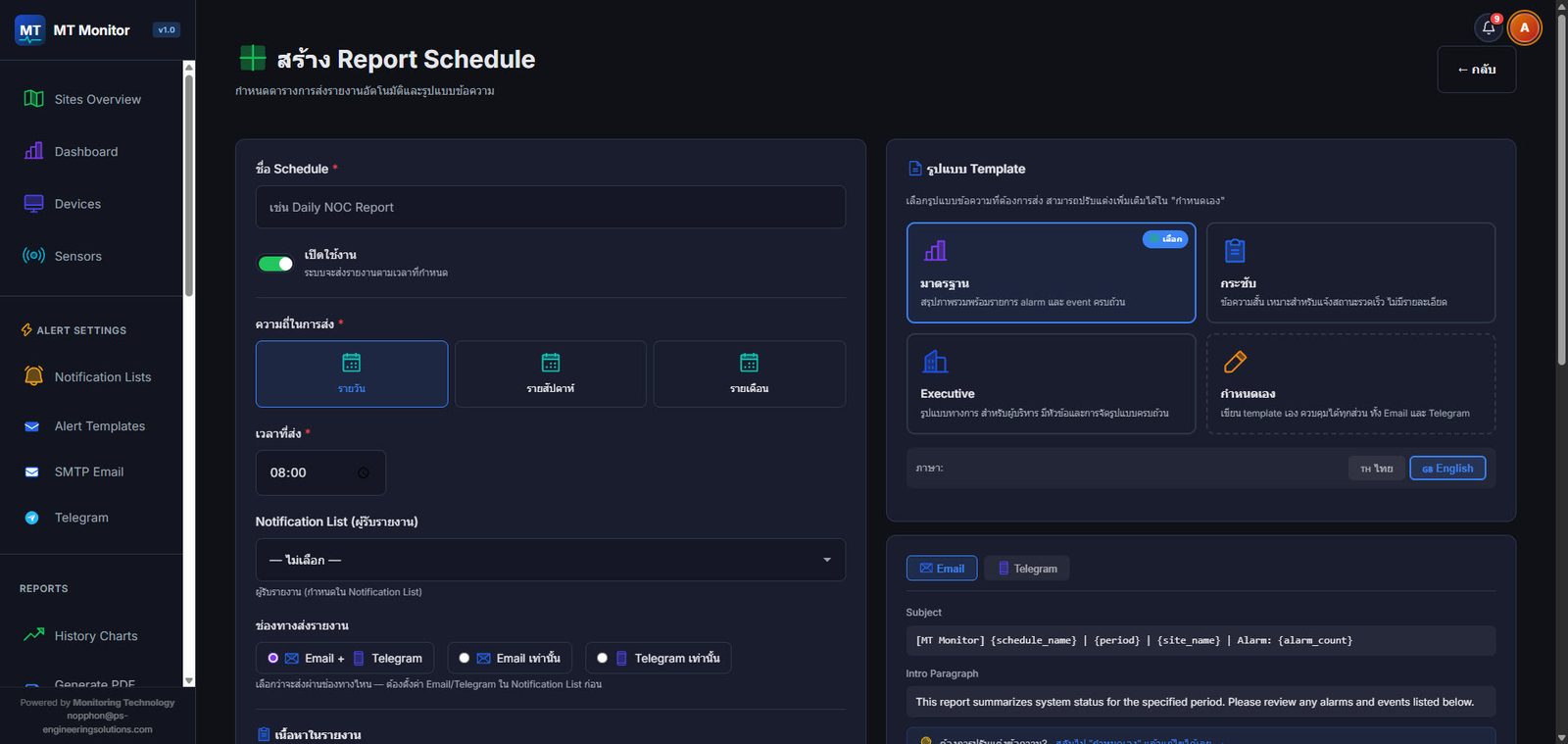
Schedule automatic reports
Send reports daily, weekly or monthly via Email or Telegram Choose a standard, concise or executive template, in Thai or English
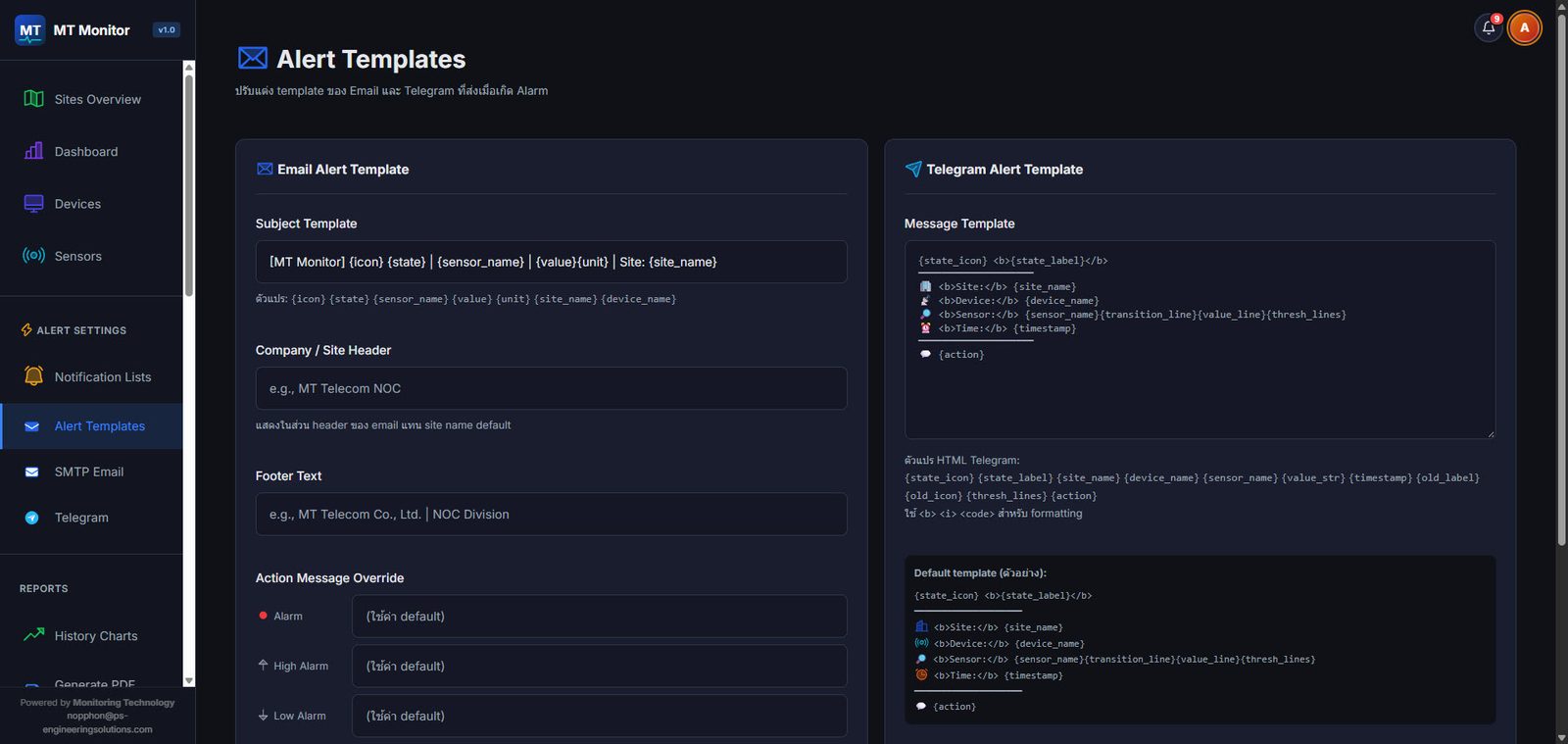
Email and Telegram alert templates
Write the subject, body and footer in your own words using variables for site, device, sensor, value and time
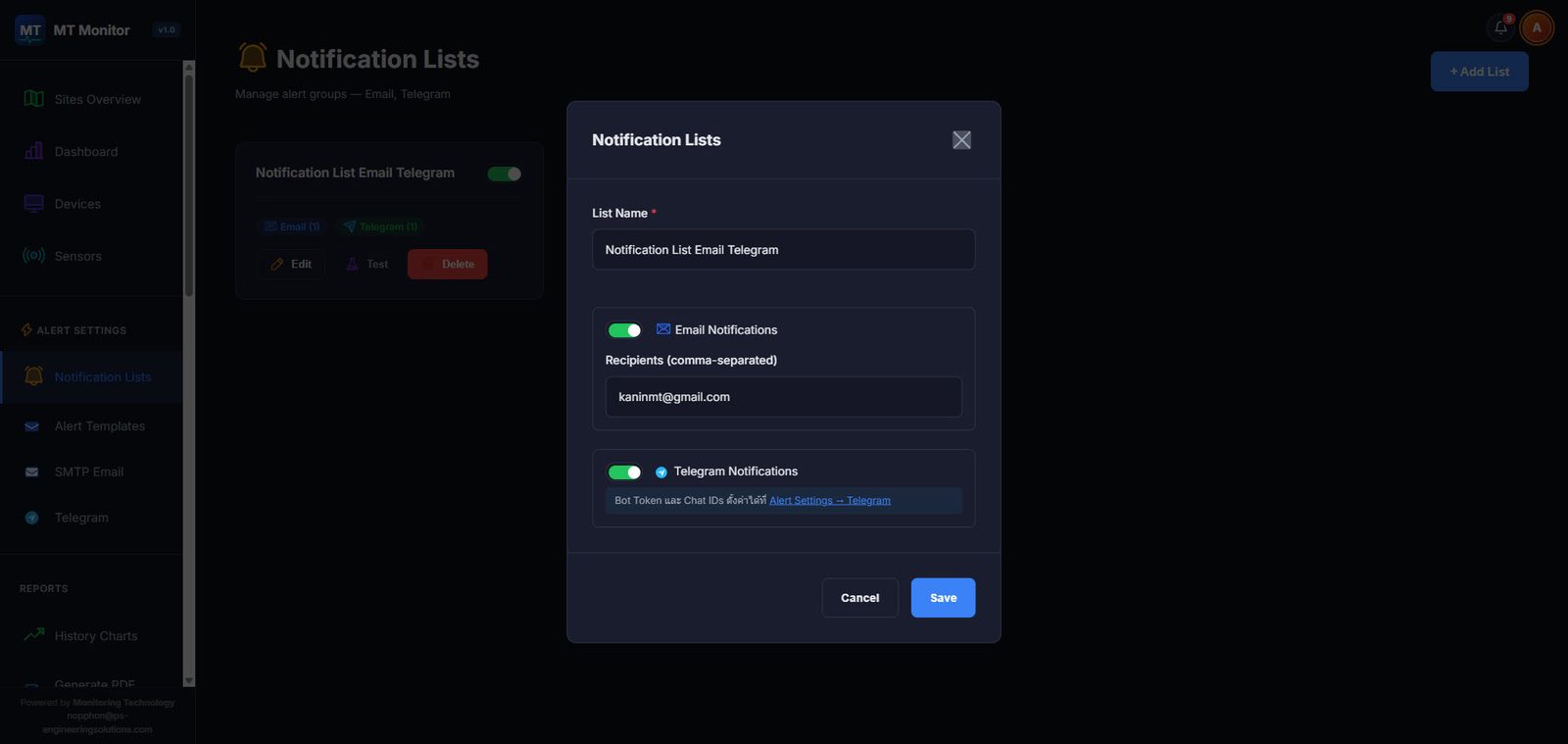
Notification List (alert recipients)
Group Email and chat recipients Telegram Switch each channel on or off and send test messages
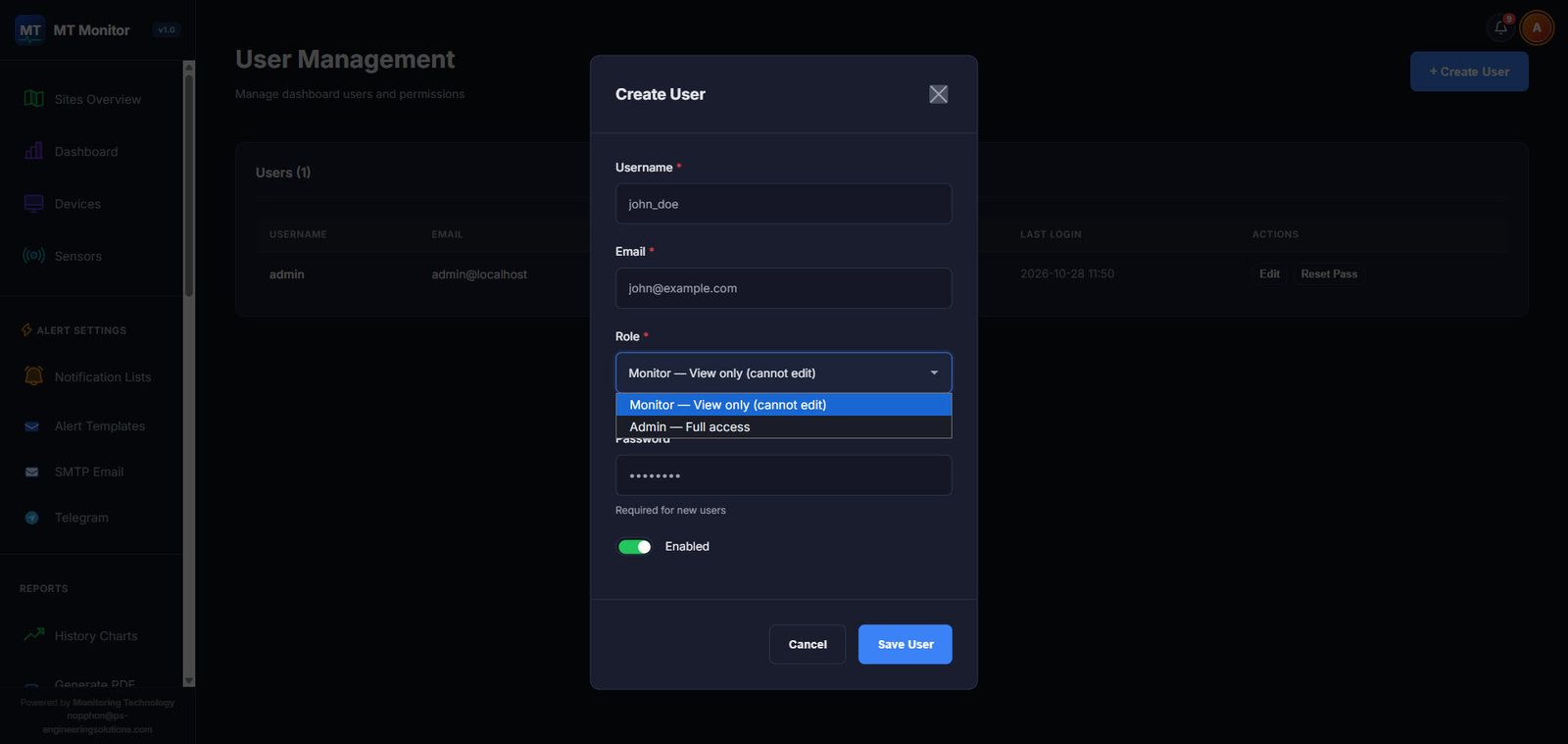
User permissions
The Admin account has full access; the Monitor account is view-only, suited to operators or customers who only need to view. Accounts can be disabled at any time.
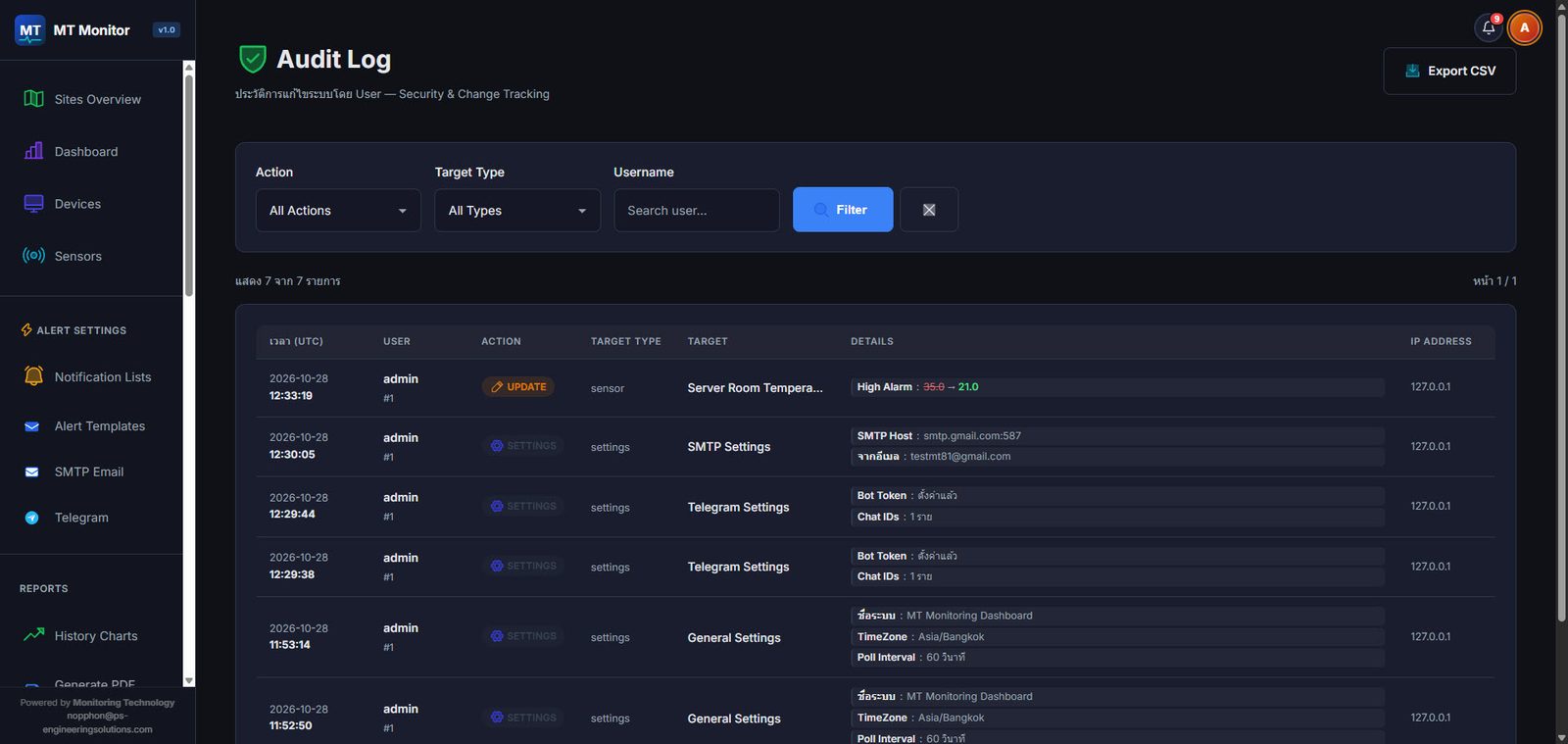
Audit Log
Logs every change to sensors, settings and users: who, when, and the old and new values; filter and export to CSV
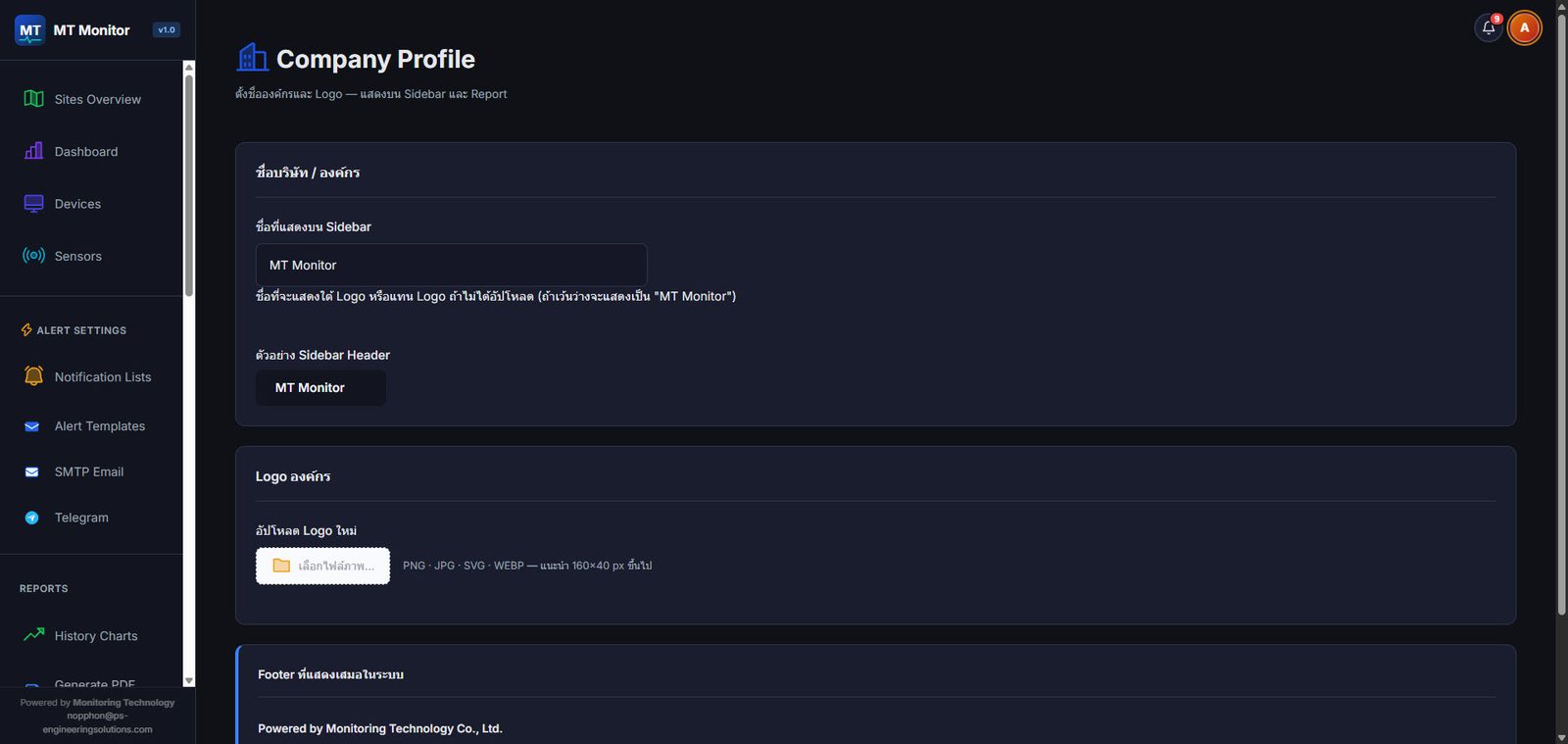
Use your own brand (Company Profile)
Put your organization name and logo in the menu bar and reports so the system looks like your own
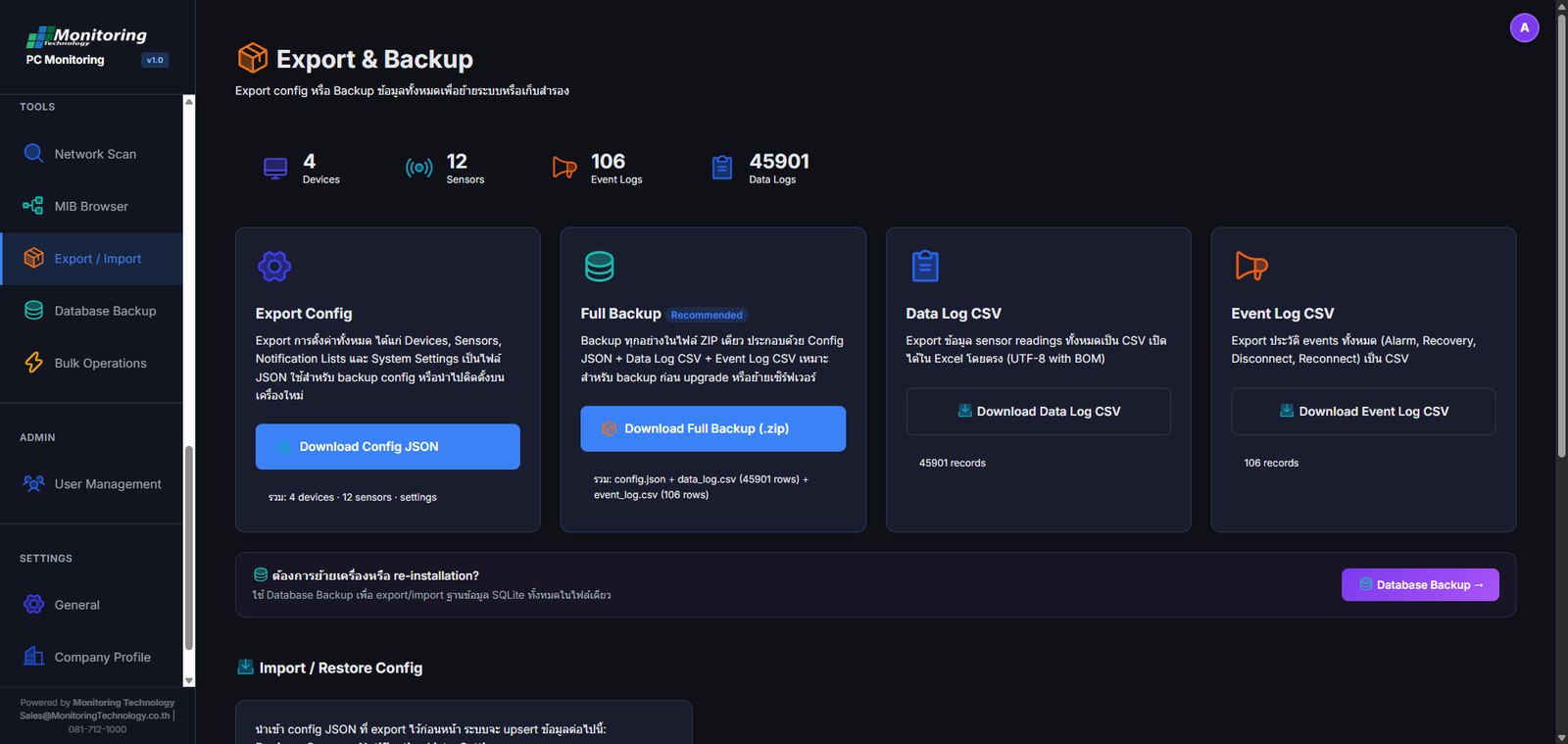
Export / Import and Backup Config
Export the Config for Devices, Sensors, Notification Lists and System Settings as a JSON file. Download a Full Backup (.zip) with the Config, Data Log and Event Log, or export each as a CSV that opens straight in Excel. Import and restore it when you move or reinstall the system.
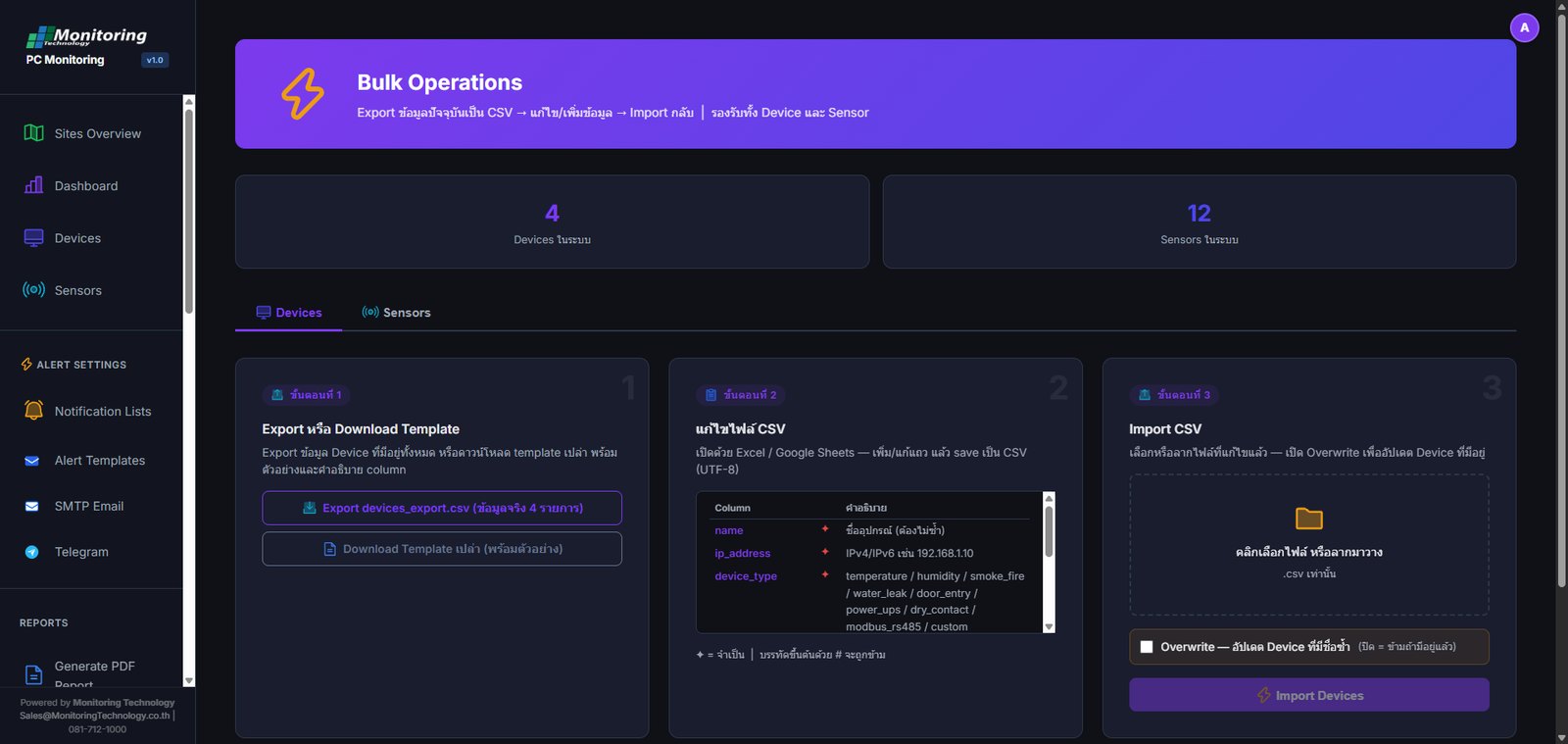
Bulk Operations
Three steps: export the data to CSV, edit or add entries in Excel or Google Sheets, then Import it back. Works for both Devices and Sensors. Turn on Overwrite to update existing entries. A blank Template with examples and a description of every column is included.
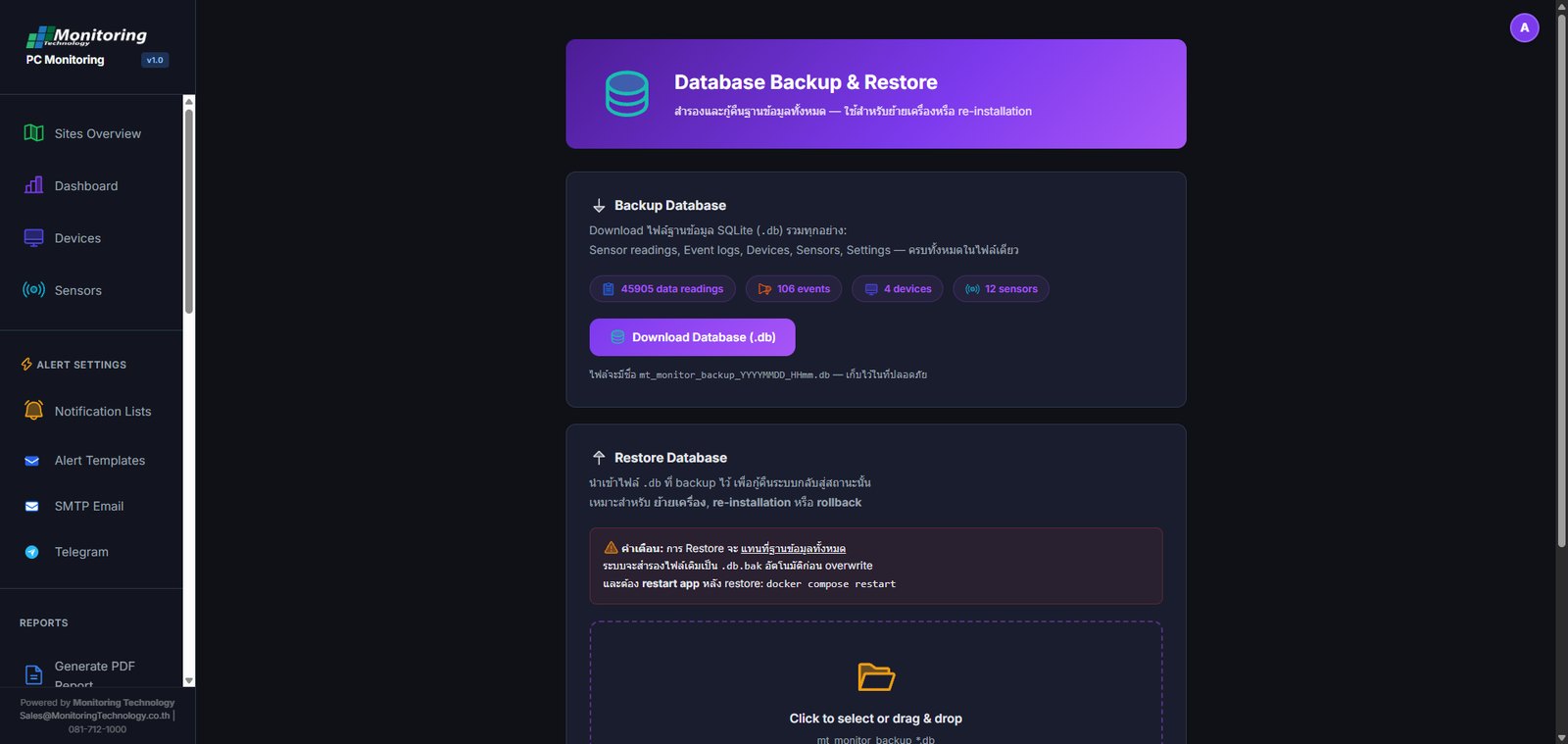
Database Backup and Restore
Download the whole SQLite database (.db) as one file: sensor readings, event logs, devices, sensors and settings. Use it to move to a new server or to roll back. The current file is copied to .db.bak automatically before it is overwritten.
What you receive
Offline installation
Installed as a Windows Service on your own server with no internet needed. Monitoring data stays on your network.
Installation and manual
We install and configure together with you, with a user manual for your team
License Options
Choose a Perpetual License, with no time limit on use and no monthly or yearly renewal fees. Prefer a shorter commitment? Term licenses are also available, for 6 months or 1 year.
12-month warranty
Support from Monitoring Technology throughout the warranty period
Interested in MT Monitor?
Contact our team for details, call 081-712-1000 or email Sales@MonitoringTechnology.co.th